SMS Surveys Through the Text Platform You Already Use
What Is an SMS Survey?
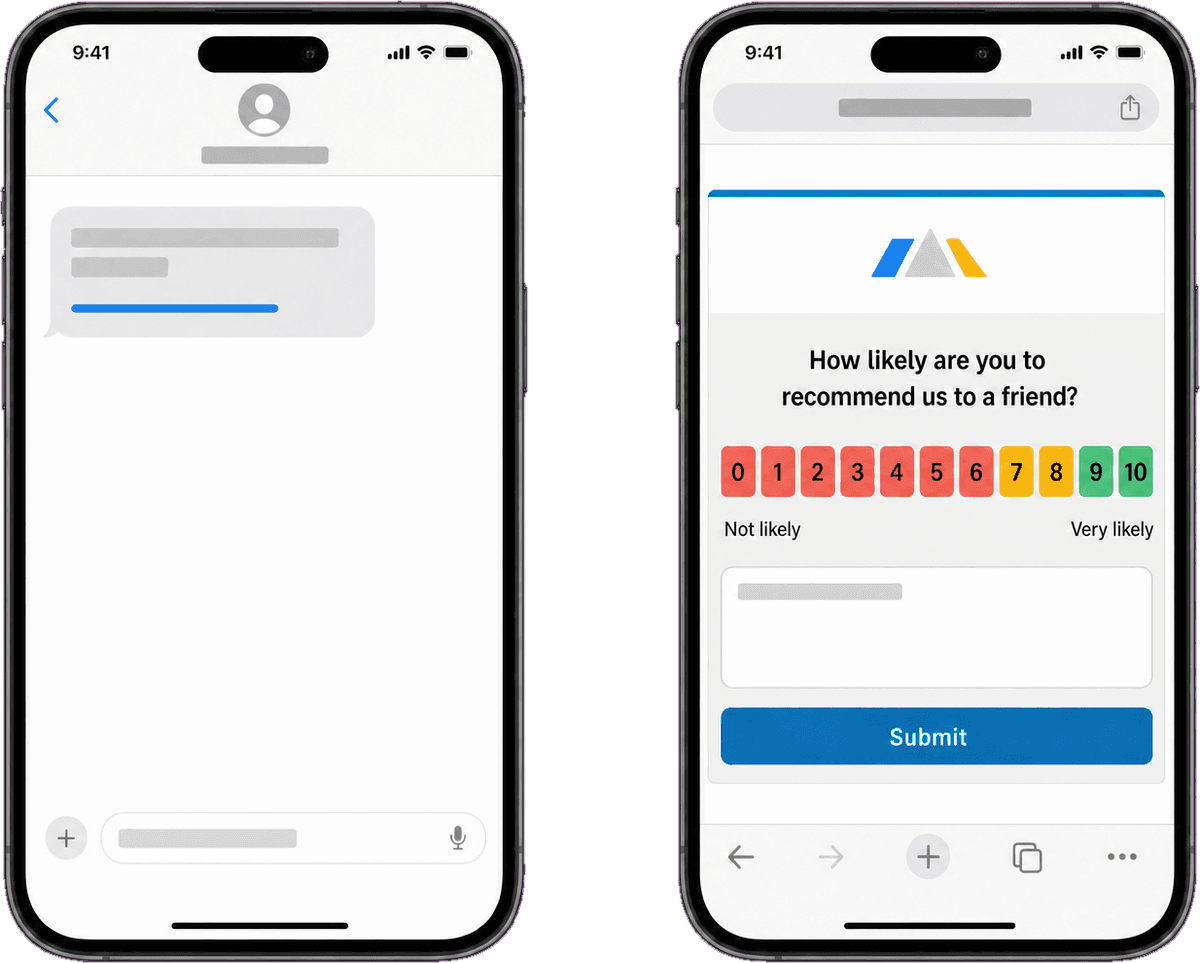
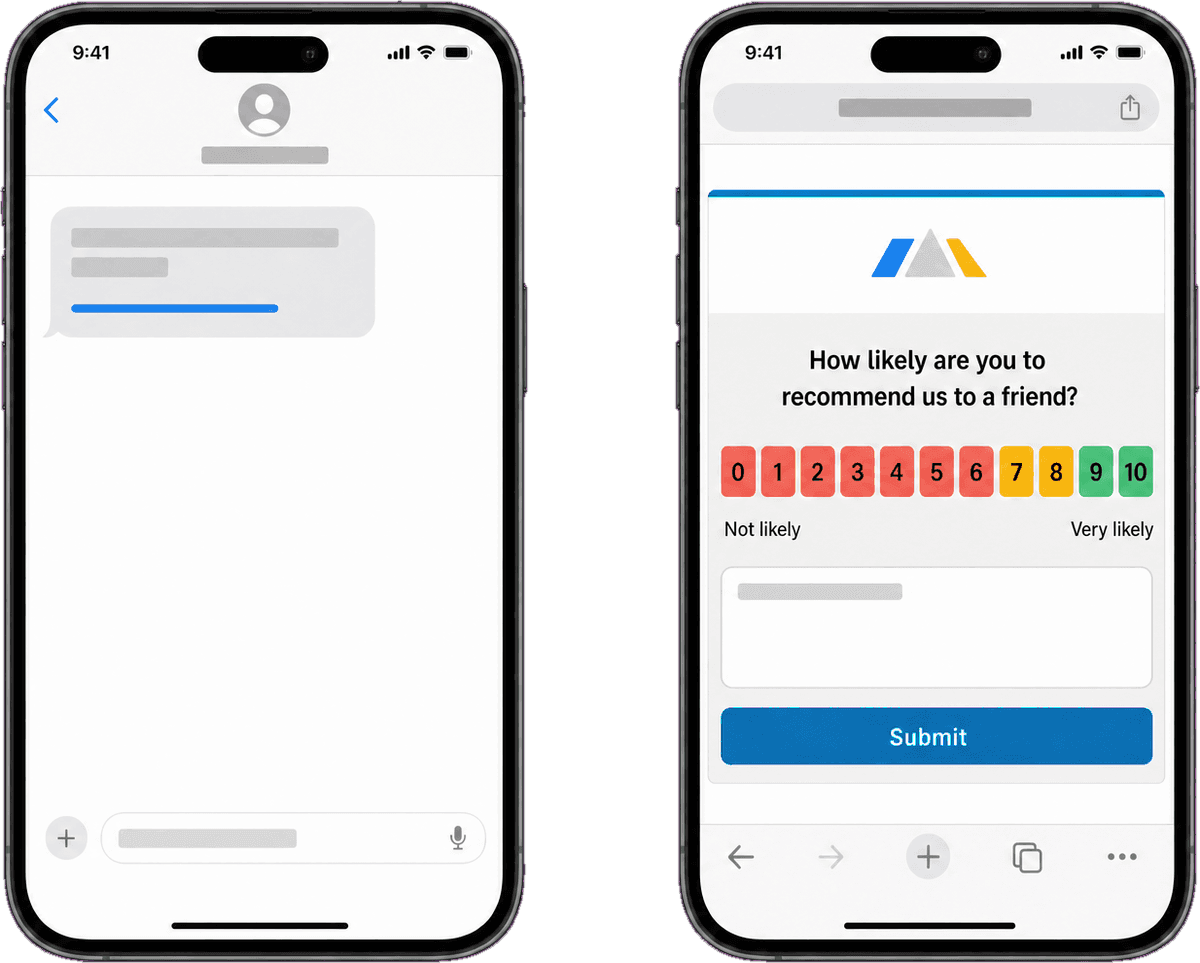
An SMS survey is a customer feedback survey delivered by text message. The text contains a short invitation and a link; the customer taps the link and answers the survey in the phone's browser. People also call these text message surveys, text surveys, mobile surveys by text, SMS NPS surveys, SMS CSAT surveys, SMS feedback requests or text feedback; they all describe the same thing.
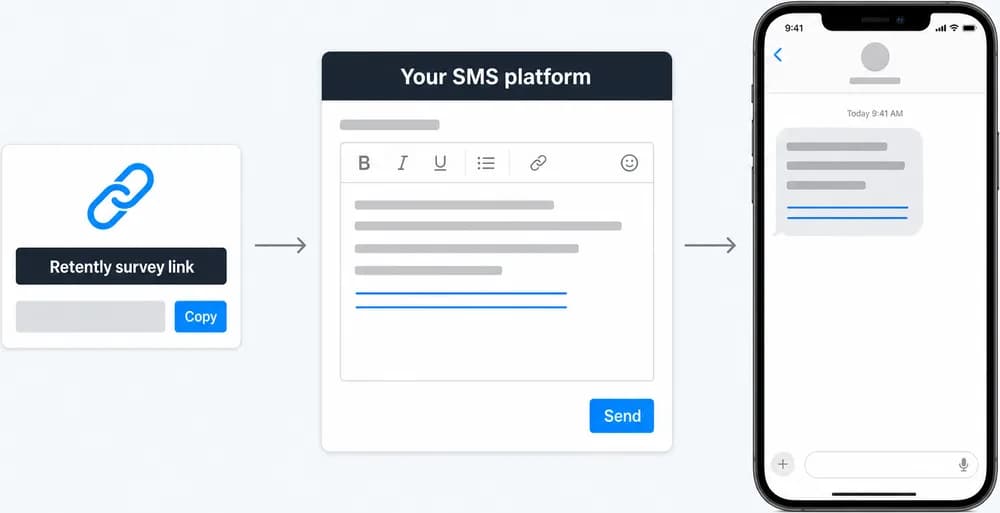
Retently does not send the text messages itself. Instead, you create a link survey in Retently, copy its URL and place it in the SMS platform you already use for customer messaging. Any provider that can insert a personalized link into a message works, and for teams without an SMS tool the documented setup uses Zapier with Twilio as the sender. This keeps your texting consent, sender numbers and delivery in one place, while Retently handles the survey, the responses and everything that happens after.
Because the link carries the customer's email or Retently id as a merge variable, the respondent skips the "enter your email" step and the answer is tied to the right contact automatically. From there an SMS survey behaves exactly like any other Retently survey: the same templates and branding, the same NPS, CSAT, CES, 5-star, emoji, thumbs up/down and Product-Market Fit metrics, the same reports with AI topic and sentiment analysis, and the same alerts, automated follow-ups and integrations.
Why Send Surveys by Text Message
Text messages are opened fast and read on the device the customer is already holding, which makes SMS a strong fit for short, timely feedback requests.
Use the SMS provider you already have
There is nothing new to buy or migrate. Your SMS tool keeps sending the messages; Retently supplies the survey link and collects the answers. Klaviyo and Yotpo SMS flows can carry the link, Twilio can send it through Zapier, and any platform that supports personalized links in message templates can do the same.
Your existing opt-in lists, sender numbers and sending rules stay untouched, so the survey fits into the messaging program you already run.
Responses tied to the right customer
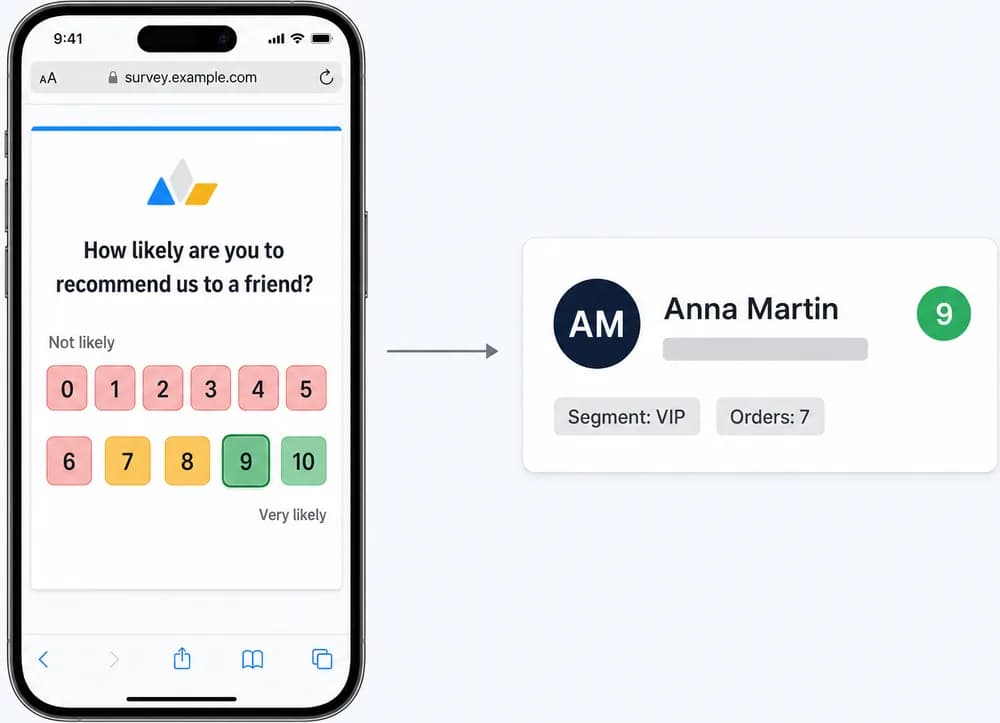
Append the customer's email address or Retently id to the survey URL using your SMS tool's merge variable. The survey recognizes the person, skips the email prompt and attaches the answer to their record with their properties, segment and past scores.
If you prefer not to identify respondents, the same link can run as an anonymous survey, and no contact list needs to be imported in advance: respondents are created in Retently when they answer.
Triggered by the events that matter
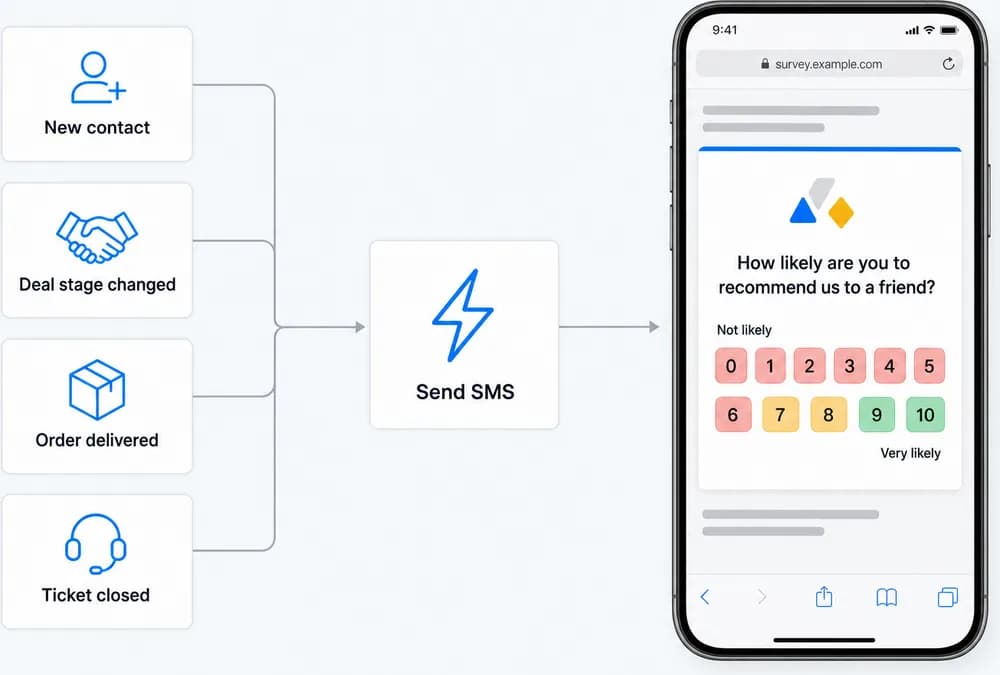
Connect the survey text to a real moment: a new contact in HubSpot, a deal moving to a new stage, an order shipped or delivered, a ticket closed. Zapier and your SMS platform's own flows decide when the message goes out; Retently takes over the moment the customer taps.
Scheduled sends work too. Pull a segment from Retently or your CRM and text the survey link on the cadence you choose.
Same reporting, alerts and follow-ups as every channel
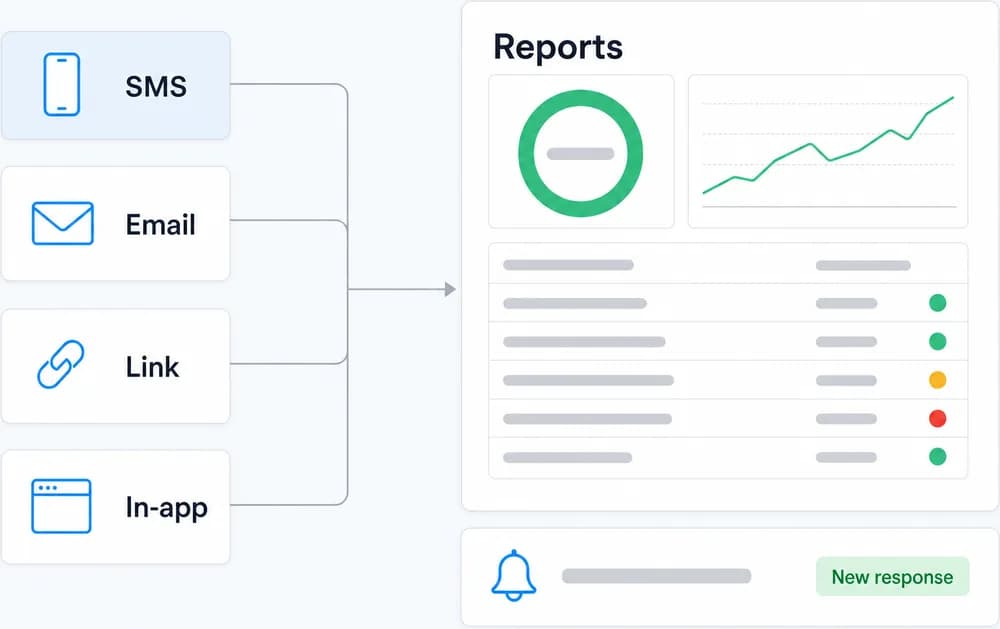
Text responses sit next to email, in-app and link responses in the same reports, segments and trend charts. AI topic and sentiment analysis reads the comments, alerts go to email, Slack or Microsoft Teams, automated follow-ups are sent by score, and webhooks or integrations push the feedback to Shopify, Zendesk, Gorgias, HubSpot, Salesforce, Klaviyo and the rest of your stack.
Common Ways to Use SMS Surveys
Post-purchase rating
Text a one-question rating a few days after an order, triggered from your ecommerce or SMS marketing flow.
Delivery and pickup confirmation
Ask how the hand-off went right after a parcel is delivered or an order is picked up, while the experience is fresh.
After a support call or ticket
Send a CSAT or CES link by text when a case is closed, especially for customers who contacted you by phone rather than email.
Appointments and bookings
Follow up on a visit, service appointment or reservation with a short rating request sent to the number already on file.
In-store and walk-in customers
Reach customers you may not have an email address for, using the mobile number collected at checkout or booking.
Field service and installations
Text a survey once a technician marks the job complete so the rating reflects the actual visit.
How SMS Surveys Work in Retently
- 1
Create a link survey
Pick NPS, CSAT, CES, 5-star, emoji, thumbs or Product-Market Fit, customize the template with your logo, colors and language, and copy the survey URL from the campaign setup. - 2
Add the link to your SMS template
Paste the URL into the message in your SMS platform and append the customer's email or Retently id as a merge variable so each text carries a personalized link. - 3
Choose the trigger or schedule
Send it from a Klaviyo or Yotpo flow, a Zapier zap with Twilio as the sender fired by a HubSpot event, order or ticket, or any other provider's automation or scheduled send. - 4
Collect, analyze and follow up
Each tap and rating flows into Retently reports with AI-generated topics and sentiment. Alerts, automated follow-ups, webhooks and integrations work exactly as they do for every other channel.
How SMS Surveys Work with Retently
Retently is not the SMS sender. It does not hold phone numbers for outbound texting and does not deliver messages to carriers. What it does is host the survey page and process every response.
The text message itself goes out from the SMS platform you already use. Inside that message sits a Retently survey link, the same shareable URL described on the link surveys page. Add the customer's email or id to the link as a merge variable and the response is matched to the right contact; leave it out and the survey either asks for an email first or runs anonymously.
The documented setup for teams without an SMS tool uses Zapier with Twilio as the sender and HubSpot as the trigger, though any trigger (new contact, deal stage change, order event) and any provider that supports personalized links will do. A few practical tips: keep the text short with a clear call to action, lead with a single rating question, send at a sensible local time, and only text customers who have agreed to receive messages from you under the consent rules that apply where they live.
Once the customer taps the link, the experience is a standard Retently survey with the same branching by score, thank-you page, reports, alerts and follow-ups as email, in-app or link surveys.
Combine It With Other Survey Channels
Every channel feeds the same contact records, reports and automations, so you can mix them freely and compare results side by side.
Link Surveys
One shareable survey URL you can paste into any message, signature, QR code or chat.
Email Surveys
Personalized surveys delivered to the inbox, on a schedule or right after a purchase, ticket or milestone.
In-App Surveys
Pop-up surveys shown inside your web app or customer portal while people are using it.