What Is an Email Survey?
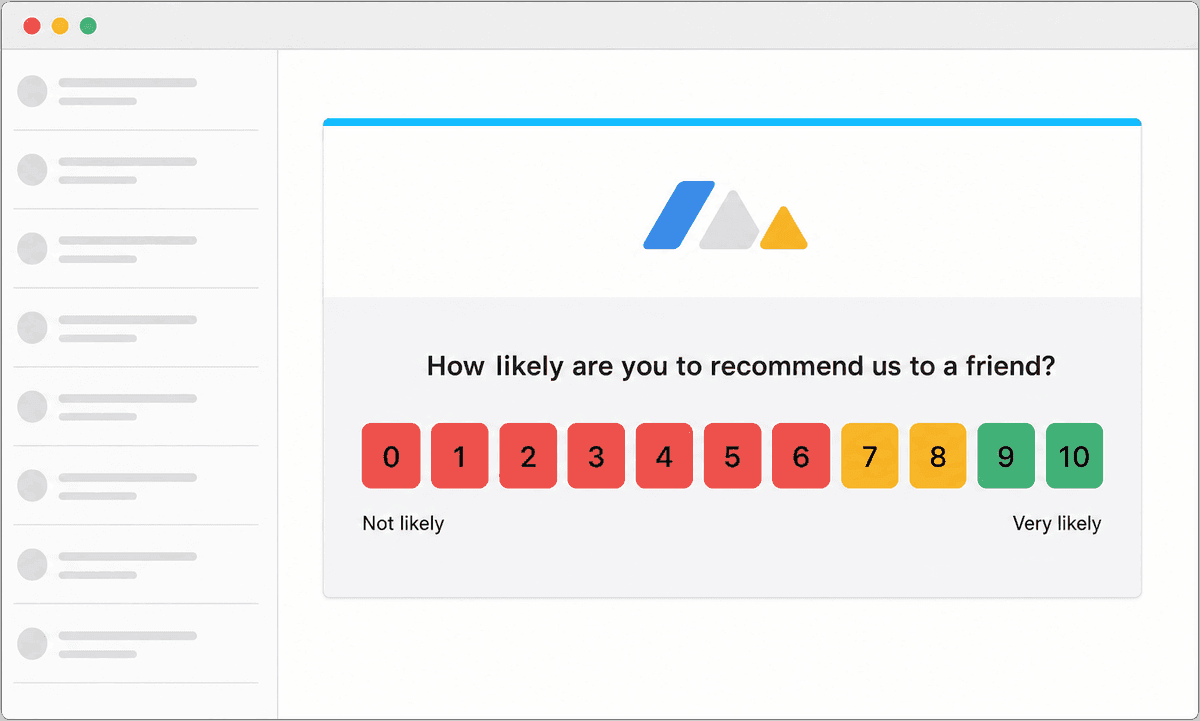
An email survey is a customer feedback survey delivered by email. The first question, usually a rating such as a 0 to 10 Net Promoter Score question, a satisfaction rating or a star rating, is shown directly in the email body, so the customer answers with one click. Any follow-up questions open in the browser. People also call these email questionnaires, email feedback forms, email NPS surveys, customer satisfaction emails, post-purchase survey emails or survey email campaigns; they all describe the same thing.
Email is where most customer feedback programs start, because you already have the customer's address and their inbox is a place they check every day. No code needs to go on your website, no app needs to be installed, and the survey can be fully personalized with the customer's name, product, order or account manager.
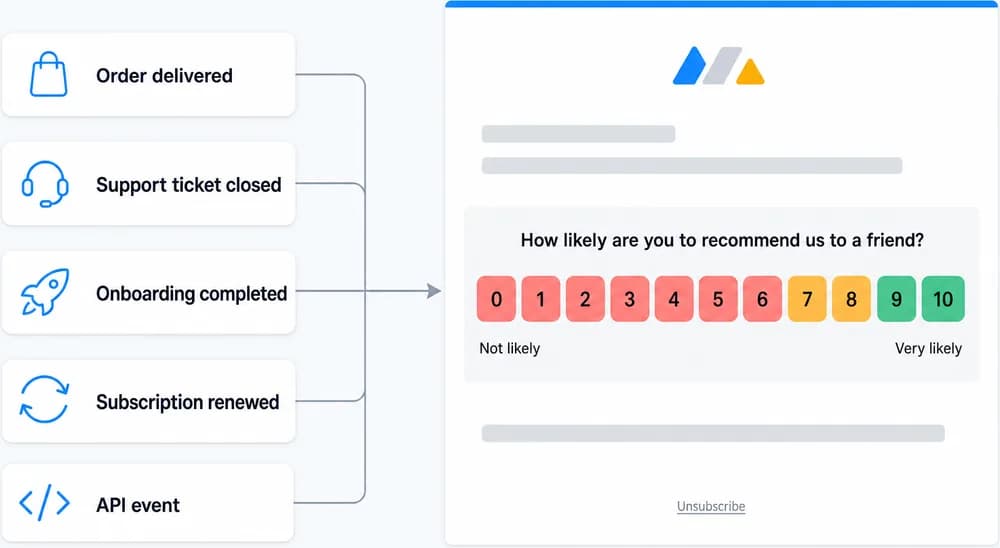
With Retently you can send email surveys in two ways. Scheduled surveys go out to a list or segment on a date you choose, once or on a recurring cycle, which is how most companies track relationship metrics quarter after quarter. Event-triggered surveys go out automatically after something happens: an order is delivered, a support ticket is closed, onboarding is completed, a subscription renews. Both use the same templates, reporting and follow-up tools.
Why Send Surveys by Email
Email combines the highest reach with the richest context: you know exactly who answered, when, and what happened right before.
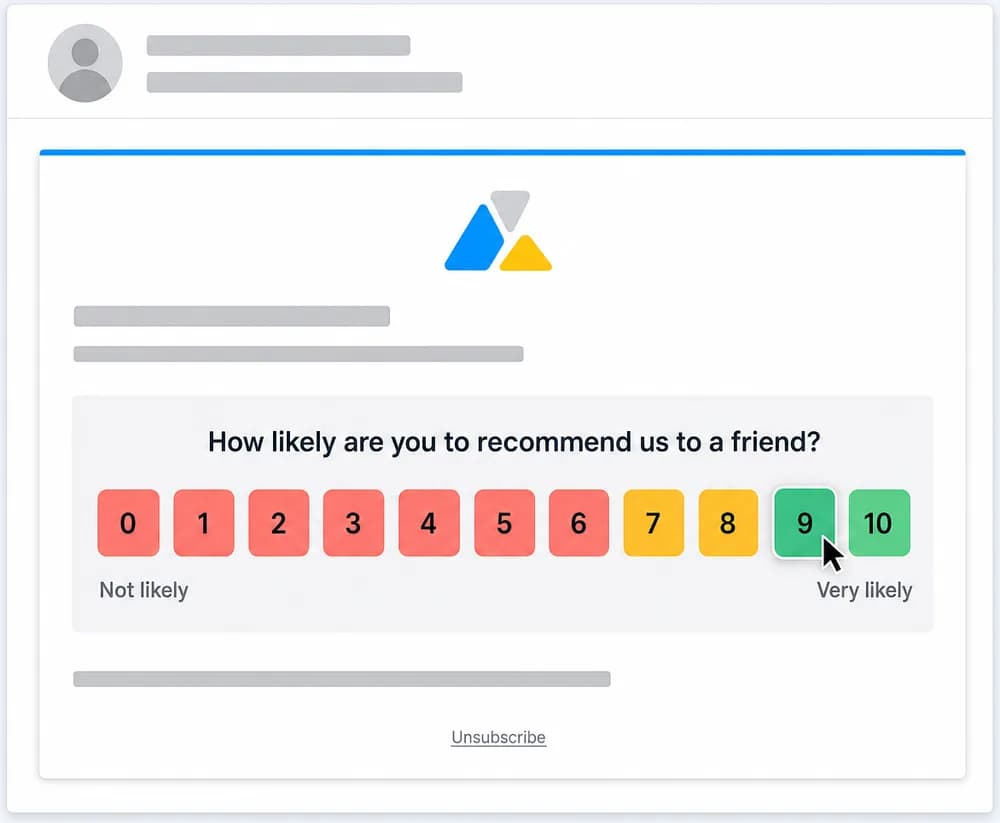
One-click scoring inside the email
The rating question is embedded in the email itself. The customer clicks a score and the answer is recorded immediately, even if they never open the follow-up page.
Follow-up questions, open-text feedback and thank-you screens adapt to the score given, so promoters, passives and detractors each see a relevant next question.
Scheduled or triggered by events
Run relationship surveys on a recurring schedule, or fire event-triggered surveys the moment a purchase, delivery, ticket resolution or onboarding step happens.
Triggers come from integrations such as Shopify, Zendesk, Gorgias, HubSpot, Salesforce, Freshdesk, Chargebee, Klaviyo and Yotpo, from Zapier, or from the Retently API.
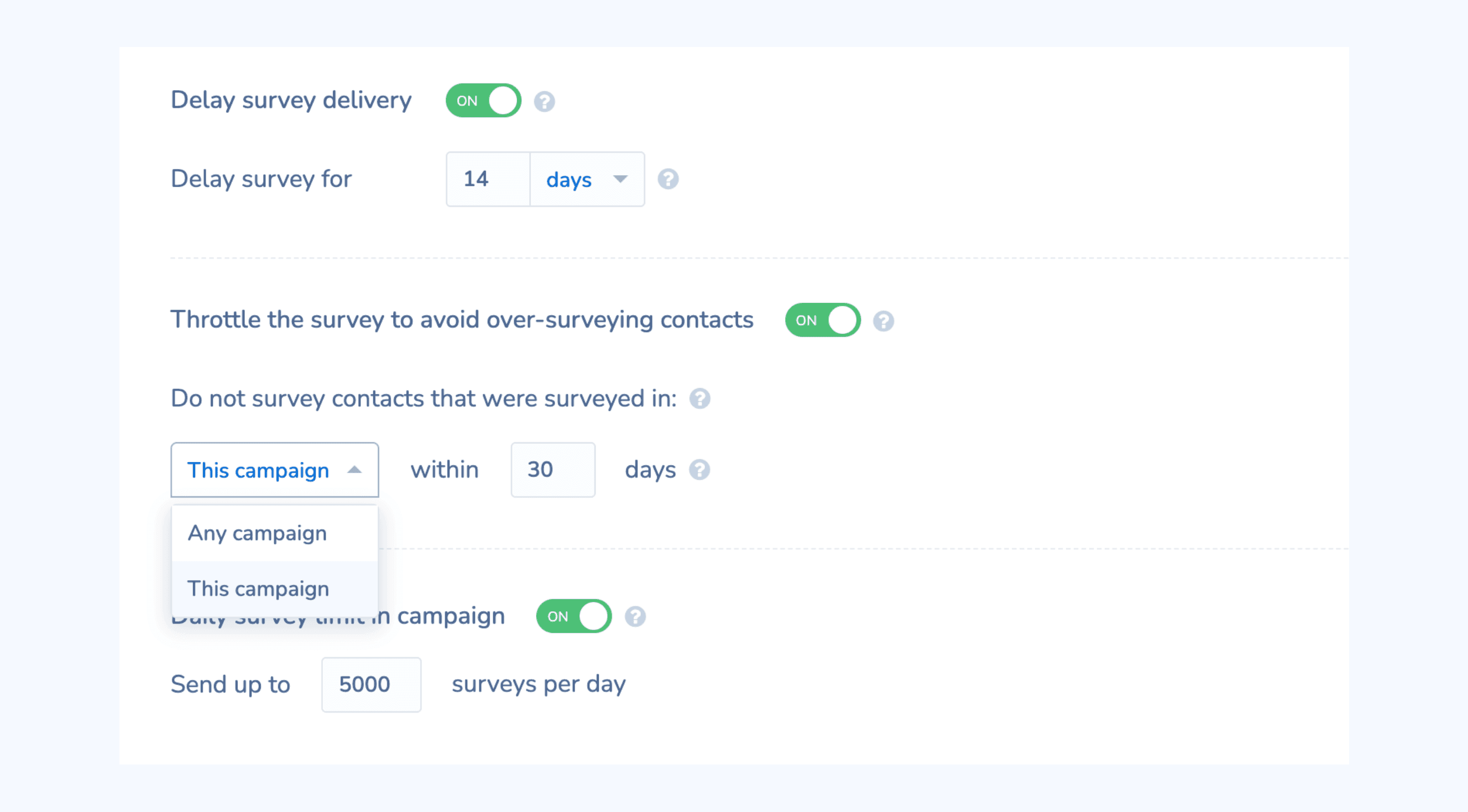
Reminders, throttling and delivery controls
Delay the survey until the experience is complete, throttle so nobody is surveyed too often, cap daily sends and schedule reminders for contacts who have not responded.
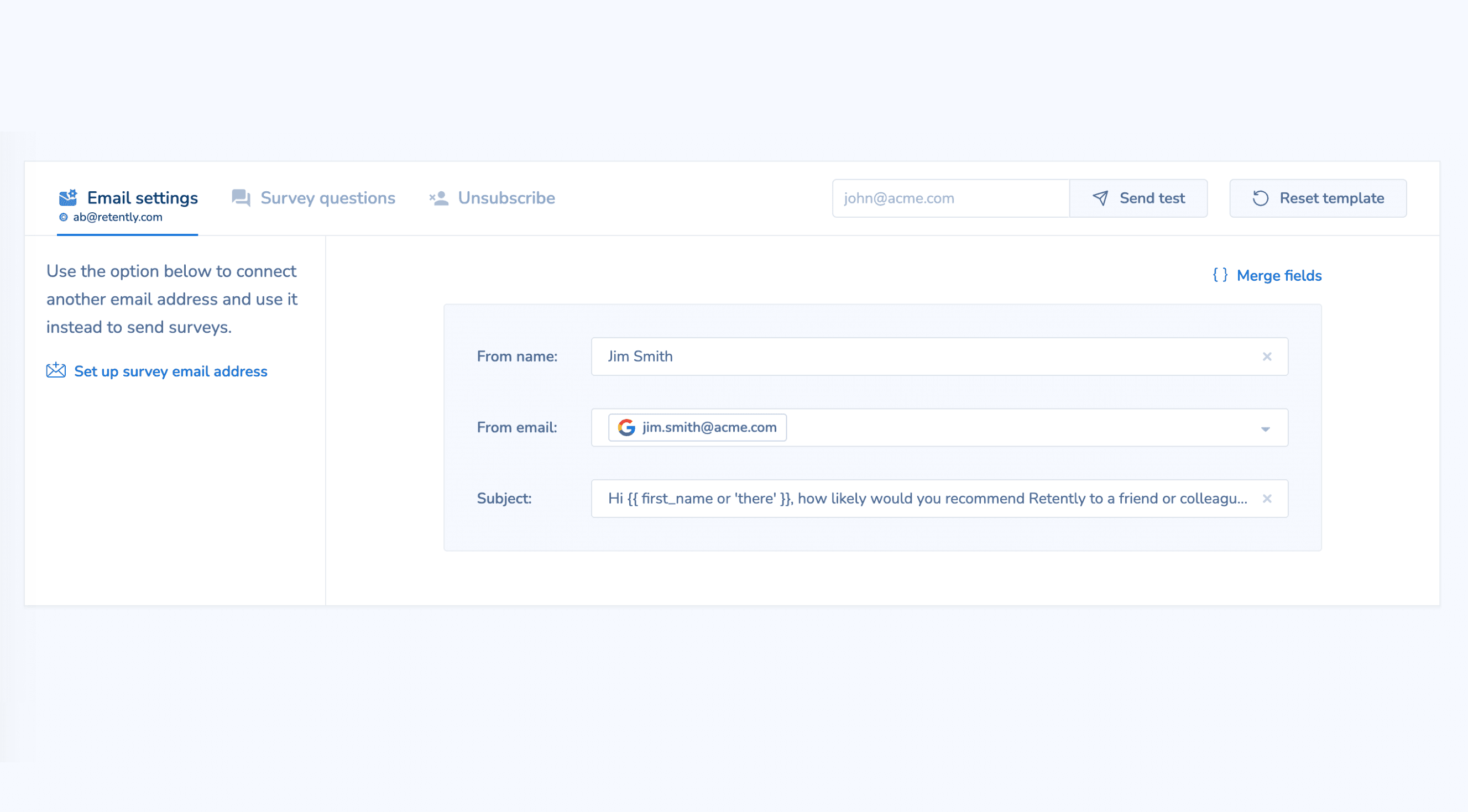
Send from your own domain with a custom from name and reply-to address so surveys look like they come from you, not from a third-party tool.
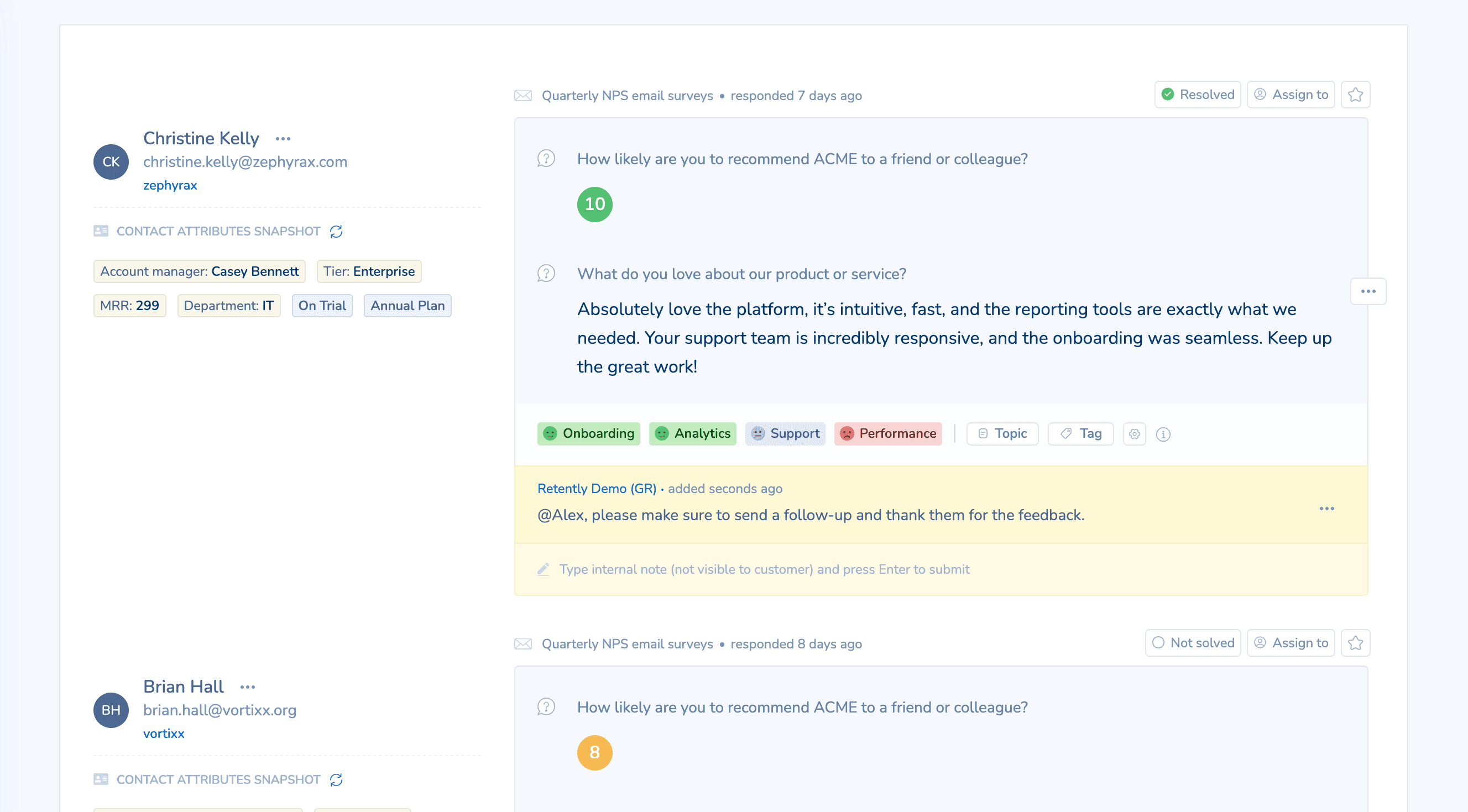
Close the loop from the same place
Every response arrives with the customer's profile, previous scores and properties. Reply manually, send automated follow-ups by score, alert your team in Slack or Microsoft Teams, and push the feedback back into your CRM or helpdesk.
Common Ways to Use Email Surveys
Quarterly relationship NPS
Survey your whole customer base or a segment on a recurring cycle and track how loyalty moves over time.
Post-purchase and post-delivery
Ask how the order went a set number of days after fulfillment, triggered from Shopify or your order system.
After a support ticket closes
Send a CSAT or CES survey when a ticket is resolved in Zendesk, Gorgias, Freshdesk, Kustomer or Gladly.
Onboarding and activation
Check in after a customer finishes setup or reaches a milestone, triggered from your CRM or product events.
Renewal and churn prevention
Survey accounts ahead of renewal so account managers can act on detractor feedback before the decision is made.
Employee NPS (eNPS)
Run anonymous or identified employee surveys by email on a regular cadence using the same tool as your customer program.
How Email Surveys Work in Retently
- 1
Pick a metric and a template
Choose NPS, CSAT, CES, 5-star, emoji, thumbs or Product-Market Fit, then customize the email template with your logo, colors, language and merge fields. - 2
Choose who receives it
Import or sync contacts from your CRM, ecommerce platform or a CSV, and target the whole list or a segment built from customer properties. - 3
Set the schedule or the trigger
Send once, on a recurring cycle, or automatically after an event coming from an integration, Zapier or the API. Add delays, throttling and reminders. - 4
Collect, analyze and follow up
Responses flow into reports with AI-generated topics and sentiment. Set alerts, auto-replies and exports so the right people act on each answer.
Combine It With Other Survey Channels
Every channel feeds the same contact records, reports and automations, so you can mix them freely and compare results side by side.