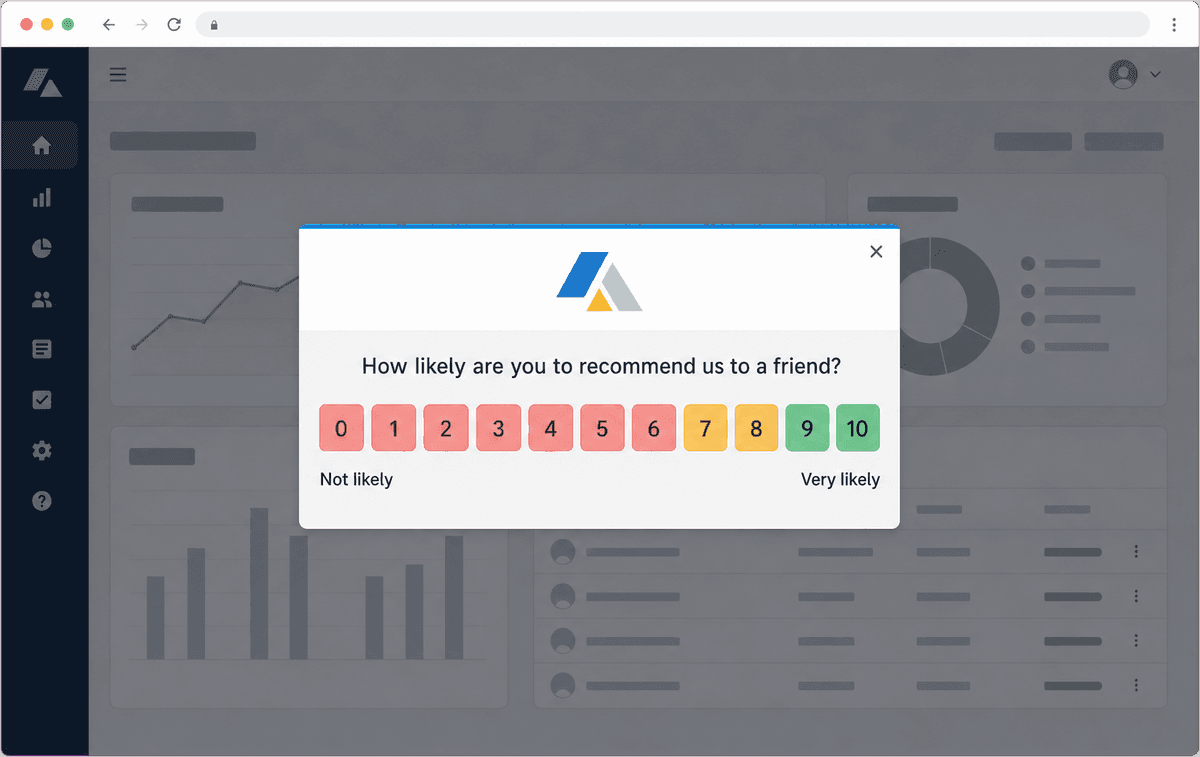
What Is an In-App (Web Pop-Up) Survey?
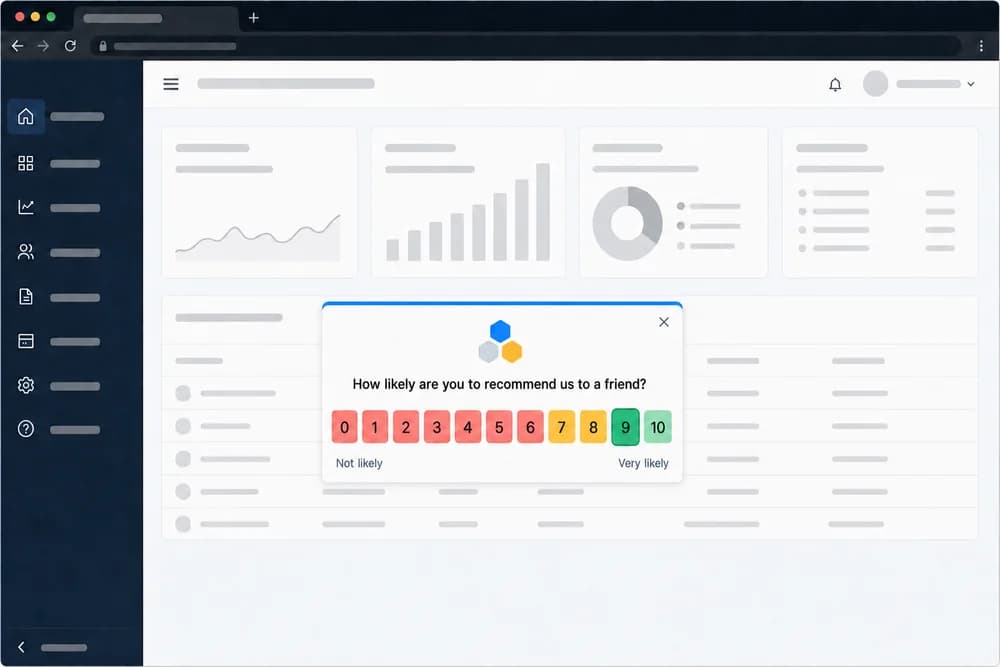
An in-app survey is a short customer feedback survey that appears as a small pop-up, displayed by a JavaScript widget in the browser, inside your web application, SaaS product or customer portal while a signed-in customer is working in it. The customer answers a rating question such as NPS, CSAT or CES right there, adds an optional comment, and gets back to what they were doing. People also call these web pop-up surveys, browser pop-up surveys, website survey widgets, in-product surveys, web app surveys, pop-up surveys, widget surveys, microsurveys, in-app NPS surveys or a SaaS survey widget; they all describe the same thing.
It is not a native mobile SDK. If your product is a website, web app or customer portal, this is the channel. If it is a native iOS or Android app, distribute a link survey through your app's own messaging or push tool instead.
In-app surveys reach people where they already are. There is no inbox to compete with and no link to click through, and because the survey only shows to customers who are actually in your product, you hear from people whose opinion is shaped by recent, real usage. The answer is captured in context: you know who the customer is, which account they belong to, and what they were doing when they were asked.
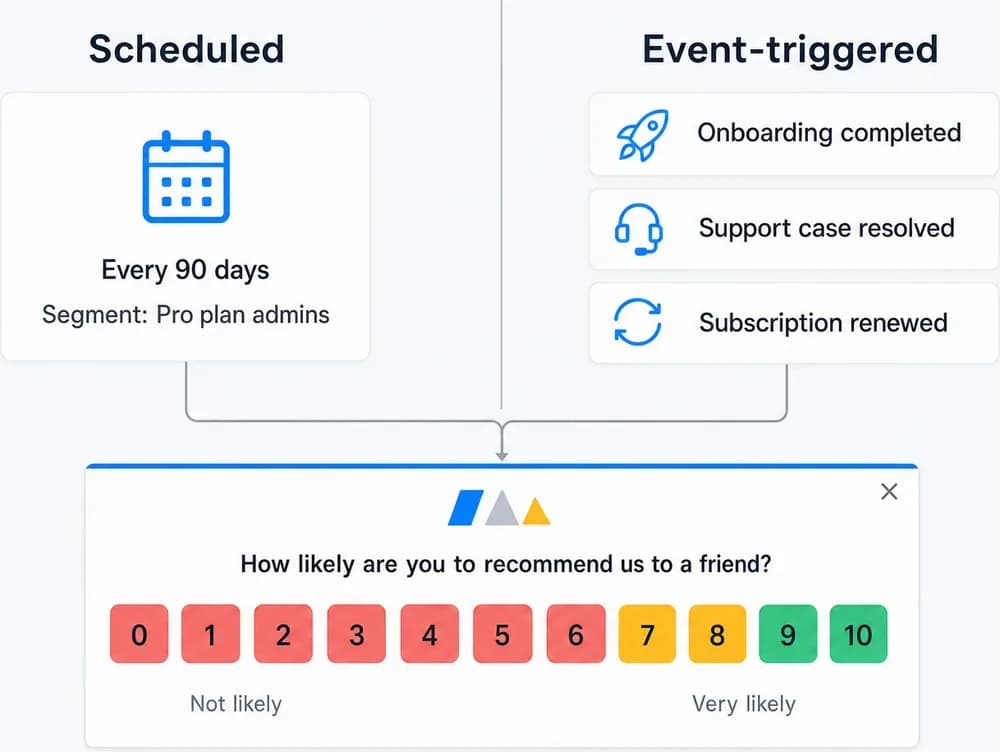
With Retently you can run in-app surveys in two ways. Scheduled surveys show to customers who match a segment and a schedule the next time they open your product, which is how most software companies track relationship NPS without sending a single email. Event-triggered surveys show right after a specific action, such as finishing onboarding, completing a task or closing a support conversation, with the trigger coming from your integrations, Zapier or the Retently API. Both use the same templates, reports and follow-up tools as every other Retently channel.
Why Survey Customers Inside Your Product
The best time to ask about an experience is while it is happening. In-app surveys put the question in front of customers in the browser, with their identity and context attached.
Feedback in context, in the browser
The widget appears to customers while they are in your application, so dormant accounts and stale addresses never dilute your results. Each response is recorded against the customer's identity and properties.
Follow-up questions branch by score, so promoters, passives and detractors each see a relevant next question, and the thank-you screen can point happy users to a review page such as Google reviews.
Scheduled or triggered by what the customer just did
Run a recurring relationship survey that appears to each customer on your schedule, or show a survey the moment an action completes: onboarding finished, first project created, subscription renewed, support case resolved.
Event triggers come from integrations such as HubSpot, Salesforce, Zendesk, Chargebee and others, from Zapier, or from the Retently API, so the survey matches the workflow you already have.
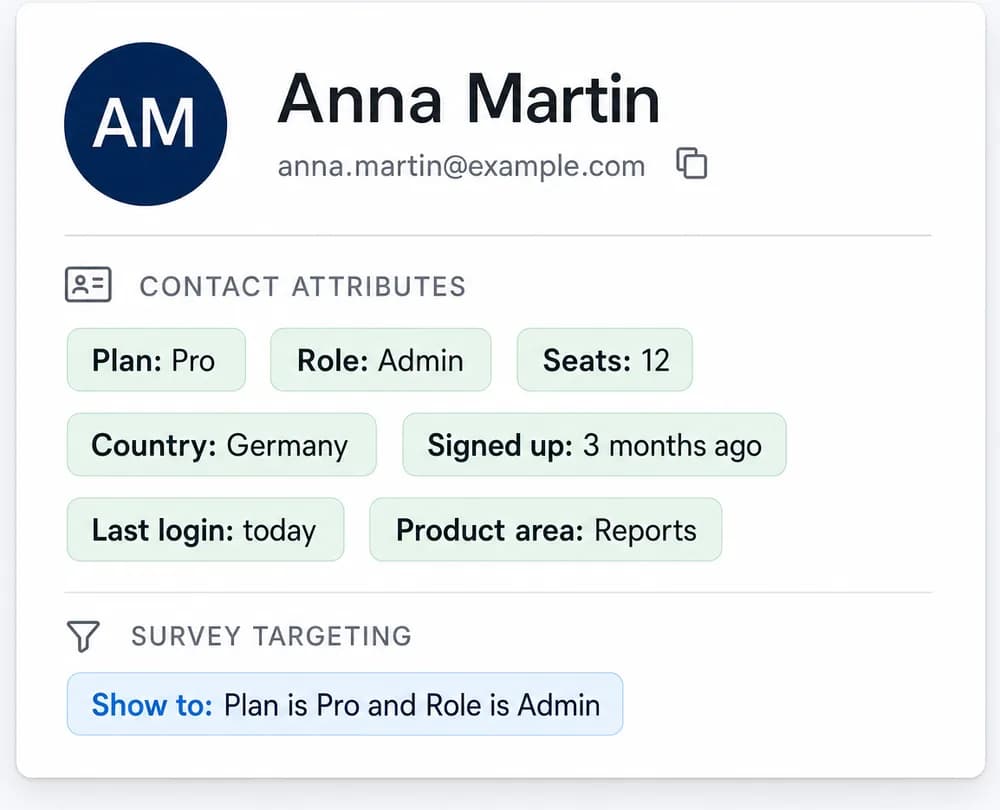
Targeting by customer properties
Decide exactly who sees the survey using the customer properties already in Retently: plan, account age, role, country, product area or any custom field you sync. Show a CES question only to new accounts, or an NPS question only to admins of paying customers.
Manage templates per survey, brand them with your logo, colors and language, and use testing mode to preview the widget in your app before any customer sees it.
One snippet to install, same reporting as every channel
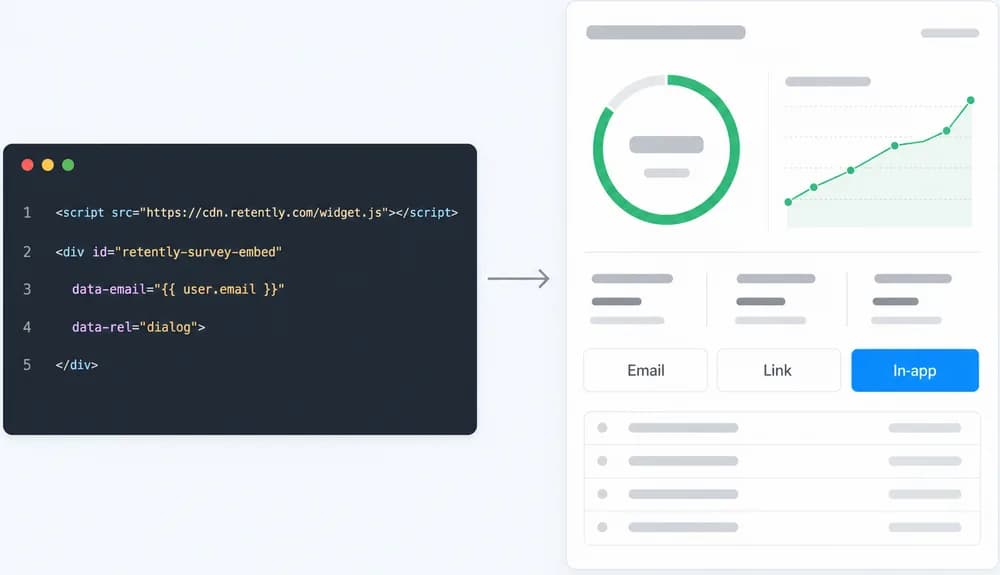
Add a small JavaScript snippet to your application, or deploy it through Google Tag Manager, and identify the signed-in customer. From there, every in-app response joins your email, link and website feedback in the same reports, with AI topic and sentiment analysis, alerts to Slack, Microsoft Teams or email, automated follow-ups by score, webhooks and CRM exports.
Common Ways to Use In-App Surveys
Relationship NPS for SaaS
Measure loyalty on a recurring cycle by asking customers inside the product instead of relying on email open rates.
Post-onboarding check-in
Ask how setup went right after a customer completes onboarding or reaches their first milestone, triggered from your product events.
Feedback on a new feature
Target customers who have access to a newly released feature and ask a quick CSAT or open-ended question while it is fresh.
Customer Effort Score on key tasks
Show a CES question after a customer finishes a workflow such as an export, an integration setup or a billing change.
After an in-product support interaction
Trigger a CSAT survey in the app once a support case is closed in Zendesk, HubSpot or your helpdesk.
Product-Market Fit by segment
Ask the Product-Market Fit question to a specific cohort, such as accounts on a given plan or in a given region, and compare results over time.
How In-App Surveys Work in Retently
- 1
Install the snippet and identify customers
Add the Retently JavaScript snippet to your web application, directly or through Google Tag Manager, and pass the signed-in customer's email and properties so responses are tied to the right person. - 2
Pick a metric and design the widget
Choose NPS, CSAT, CES, 5-star, emoji, thumbs or Product-Market Fit, then customize the template with your logo, colors, language and follow-up questions. Use testing mode to preview it in your app. - 3
Set targeting and timing
Choose a segment based on customer properties and either a schedule (show to matching customers when they next open your product) or an event trigger from an integration, Zapier or the API. - 4
Collect, analyze and follow up
Responses flow into reports with AI-generated topics and sentiment. Set alerts, automated replies by score, webhooks and exports so the right people act on each answer.
Web Pop-Up, Embedded Survey or Feedback Button?
These three Retently channels all live on your website or web app and all use the Retently website script; all three are web-only. They behave differently. An in-app survey is a web pop-up that Retently decides to show, to a targeted signed-in customer, on a schedule or after an event. An embedded survey is rendered inline as part of the page content, with no pop-up, always visible in a spot you choose, for identified and anonymous visitors alike. A feedback button is a floating tab that the visitor opens whenever they have something to say; nothing is scheduled and nothing pops up on its own.
Use in-app surveys when you want to ask specific customers a specific question at a specific time. Use embedded surveys for always-on questions on a given page, and the feedback button to catch unprompted feedback in between.
Combine It With Other Survey Channels
Every channel feeds the same contact records, reports and automations, so you can mix them freely and compare results side by side.
Embedded Surveys
A survey rendered inline as part of your web page, with no pop-up and no overlay.
Feedback Button
An always-on feedback tab on your site that visitors open whenever they have something to say.
Email Surveys
Personalized surveys delivered to the inbox, on a schedule or right after a purchase, ticket or milestone.